
Kusel BIM File Database.
Download ready-to-use Revit families for our most popular drain configurations. Streamline your plumbing design with accurate, detailed models backed by our expert support.

View our Customizing & Edit Types Guide
Getting Started
Step 1: Explore the Drain Configurator
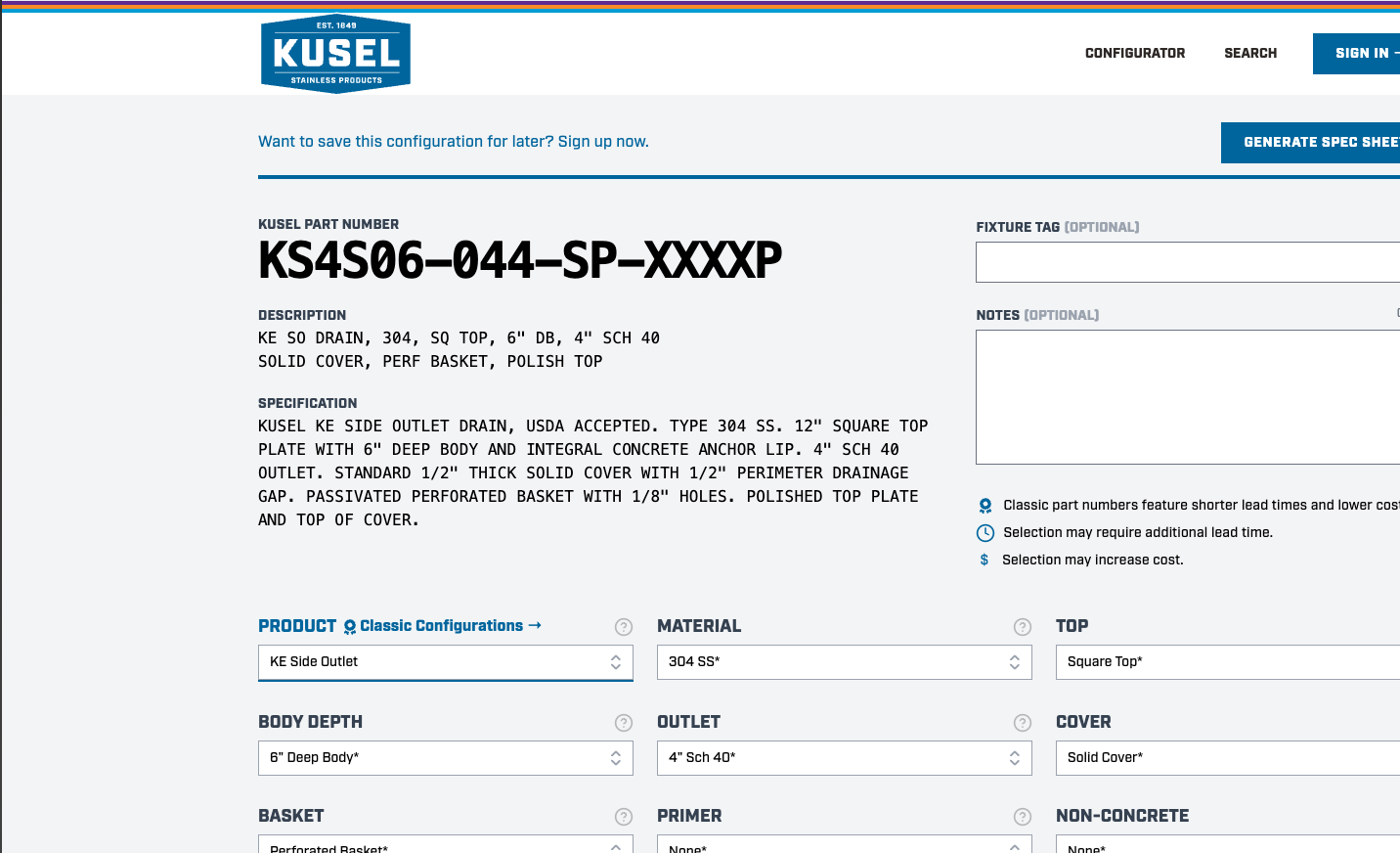
Not sure which drain fits your needs? Start with our interactive Kusel Drain Configurator. This tool lets you:
- Browse available drain types and sizes
- Select accessories and options
- Download data cutsheets for each configuration
- Generate accurate Kusel Part Numbers for your specifications
The configurator is the fastest way to ensure you’re specifying the right product from the start.
Step 2: Read the Best Practices Guide
Before loading any Revit families into your project, we strongly recommend reviewing our Best Practices Guide. This document covers:
- Proper file location and server setup for team access
- Correct insertion methods (use Insert >> Load Family, not copy/paste)
- How our families integrate with your existing Drainage Fixture Schedules
- Parameter information that ensures accurate scheduling and documentation
Following these guidelines will save you time and prevent common issues when working with our BIM content.
Step 3: Customize When Needed
If your project requires modifications, our Customizing & Edit Types Guide walks you through the process. A critical note: if you use Revit’s Edit Type function to change any parameters, you must also manually update the Kusel Part Number and Specification fields. These values drive the accuracy of your fixture schedules — always cross-reference with the Drain Configurator to ensure correctness.
Step 4: Download .rfa and .txt family files
Once you’ve reviewed the Best Practices Guide and confirmed your configuration in the Drain Configurator, you’re ready to download the files.
Our BIM Downloads Page provides ready-to-use .rfa (Revit family) and .txt (type catalog) files for our most popular drain configurations. These files are built for accuracy, consistency, and seamless integration into your project.
Documentation & Downloads
 Download
Best Practices PDF
Complete guide to integrating Kusel Revit families into your projects
DownloadCustomizing Guide PDF
Instructions for editing types while maintaining schedule accuracy
 Visit
VisitDrain Configurator
Interactive tool for selecting drains, accessories, and generating specs
 Visit
VisitBIM Downloads Page
Sign in to access .rfa and .txt family files

Technical Support
Our BIM resources are designed to work right out of the box, but we know every project is different. If:
- You don’t see the configuration you need
- You’re running into integration issues
- You have technical questions about our families
We’re happy to help you get the right drain into your model.